
WFH Desks

Why Most Work From Home Setups Don't Work
Remote work became permanent for millions of people, but most home workspaces never caught up. The dining table, the couch, the bed, the kitchen counter - these surfaces weren't designed for work, and using them daily creates real problems.
The Posture Problem
Dining tables are typically 30" high, which is fine for eating but often too high or too low for comfortable typing depending on your chair. Kitchen counters are 36", which forces your shoulders up. The couch puts your screen below eye level and curves your spine forward. None of these surfaces let you adjust to your body, so your body adjusts to them - and that's how chronic pain starts.
The Space Problem
Most remote workers don't have a home office. They work in rooms that serve other purposes - a bedroom, a living room, a guest room. A permanent desk takes up 10-15 square feet of floor space 24 hours a day, even though you only use it 8-10 hours. In a small apartment or shared home, that's space you can't afford to lose.
The Boundary Problem
When your desk is always visible, work is always present. There's no psychological separation between work mode and home mode. You see the desk from your couch in the evening. You see it first thing in the morning. The ability to physically put work away at the end of the day is one of the most underrated benefits of a WFH desk that folds or stores out of sight.
What Makes a Good WFH Desk
A WFH desk has different requirements than an office desk. It needs to perform in imperfect spaces, adapt to changing needs, and coexist with the rest of your home. Here's what matters most.
Height Adjustability
If you're going to sit at a desk for a full workday, the desk height needs to match your body. Fixed-height desks force you to compensate with your posture. A height-adjustable WFH desk lets you set the surface at the exact height where your elbows rest at 90 degrees, your wrists stay neutral, and your monitor sits at eye level. Electric adjustment with memory presets makes this effortless.
Compact Footprint
WFH desks need to fit in real homes, not showroom offices. Look for desks that maximize work surface while minimizing floor space. Desktop sizes of 46"-52" wide and 24"-25" deep provide enough room for a full work setup without dominating a room.
Storage and Portability
The best WFH desks can be moved or stored when you're not working. Wheels let you roll the desk between rooms - work in the living room during the day, roll it to the bedroom at night. Folding capability lets you collapse the desk and reclaim your space completely. Not every WFH desk needs to fold, but the option is a game changer for small homes.
Clean Cable Management
Work-from-home setups involve chargers, monitors, keyboards, headsets, and phone cables. Without cable management, your WFH desk becomes a tangle of wires that looks messy and creates tripping hazards. Look for desks with built-in cable nets, cord covers, or integrated power strips that keep everything routed and tidy.
Durable Build Quality
A WFH desk gets used every single workday. Cheap desks that wobble, squeak, or deteriorate within a year aren't worth the savings. Look for steel frames, solid desktop surfaces, and warranties that cover the motor and structural components for multiple years.

Types of WFH Desks
Fixed Height WFH Desks
Standard desks at a set height. They're simple, affordable, and available everywhere. The downside is that you can't adjust the height to match your body, and you can't stand during the day. If budget is your primary concern and you have a good ergonomic chair, a fixed desk can work. But it limits your options for movement and posture variation.
Adjustable WFH Desks
Height-adjustable desks let you switch between sitting and standing. Electric models adjust with a button press and offer memory presets. Manual models use a crank. For a full workday at home, an adjustable WFH desk gives you significantly more comfort and flexibility than a fixed desk.
Foldable WFH Desks
Foldable WFH desks collapse for storage when you're not working. This is the ideal solution for people who work in shared or multipurpose spaces. The Lillipad combines electric height adjustment (6" to 48") with a foldable frame that collapses to 6 inches. It rolls on wheels and stores under furniture, giving you a premium WFH desk that disappears when the workday ends.
Standing Desk Converters
Converters sit on top of an existing desk or table and raise your keyboard and monitor to standing height. They're a budget-friendly way to add standing capability to a dining table or fixed desk. The trade-off is reduced desk space, limited height range, and a less stable surface compared to a full WFH desk.
Best WFH Desk for Your Living Situation
WFH Desk for Studio Apartments
In a studio, every piece of furniture needs to justify its floor space. A foldable WFH desk that collapses to 6 inches and stores under your bed or behind your couch gives you a full workstation during work hours and zero footprint during personal time. This is the single biggest quality-of-life upgrade you can make for remote work in a studio.
WFH Desk for Bedrooms
Working from your bedroom blurs the line between rest and productivity. A WFH desk with wheels lets you position it by the window during the day for natural light and roll it to the corner or closet at night so your bedroom feels like a bedroom again. If the desk folds, you can slide it behind the headboard or under the bed frame.
WFH Desk for Living Rooms
Living room WFH setups are visible to everyone in the household. A clean, well-designed WFH desk looks professional during video calls without making the room feel like an office. After work, folding or rolling it away restores the living room to shared family space.
WFH Desk for Shared Spaces
If you share your home with roommates, a partner, or family, your workspace needs to be flexible. A WFH desk with wheels moves where you need it. A foldable design stores compactly when someone else needs the room. Memory presets let multiple users save their ideal heights on the same desk.
WFH Desk for a Dedicated Home Office
If you have a room set aside for work, space constraints matter less. Focus on ergonomics and build quality. A height-adjustable WFH desk with a large desktop surface (52"+) gives you room for dual monitors, a full keyboard, and accessories. In a dedicated space, the desk stays set up permanently, so folding capability is less important than stability and surface area.
Setting Up Your WFH Desk for Proper Ergonomics
Your home office doesn't need to look like a corporate workspace to be ergonomic. It just needs to put your body in the right positions.
Monitor Position
The top of your screen should be at or slightly below eye level. If you use a laptop, a separate monitor or a laptop stand is almost always necessary to get the screen high enough. Looking down at a laptop on a flat desk for 8 hours creates neck strain that builds up over weeks.
Chair Height
Your feet should be flat on the floor with your knees at roughly 90 degrees. If your chair is too high, your feet dangle and your thighs press into the seat edge, reducing circulation. If it's too low, your knees rise above your hips and your lower back rounds.
Desk Height
When seated, your desk height should position your elbows at 90 degrees with your forearms parallel to the surface. When standing, the same elbow position applies. A WFH desk with memory presets saves both heights so you hit them perfectly every time.
Lighting
Position your WFH desk so natural light comes from the side, not from behind your screen (causes glare) or behind you (causes a dark silhouette on video calls). If natural light isn't available, a desk lamp angled toward your workspace reduces eye strain during long sessions.
Accessories That Help
- Monitor arm or laptop stand to raise screen to eye level
- External keyboard and mouse for laptops (keeps wrists neutral)
- Anti-fatigue mat for standing sessions on hard floors
- Headset with microphone for calls (frees your hands and reduces neck strain from holding a phone)
- Cable management clips or net to keep cords organized
WFH Desk Productivity Tips
Create a Start and End Ritual
At a traditional office, the commute creates a mental boundary between work and home. At a WFH desk, you need to create that boundary intentionally. Unfolding your desk or rolling it into position can serve as your "commute." Folding it away or rolling it to storage signals the end of the workday.
Change Positions with Your Tasks
Pair different working positions with different types of tasks. Sit for focused deep work like writing, coding, or analysis. Stand for calls, emails, brainstorming, and lighter tasks. Floor sit for reading, planning, or creative thinking. If your WFH desk supports all three positions (like the Lillipad's 6"-48" range), use them to create variety throughout the day.
Face a Window When Possible
Natural light improves mood, energy, and focus. Position your WFH desk near a window with the screen perpendicular to the light source. If you're on video calls frequently, facing the window puts natural light on your face for better camera quality.
Keep Your Desktop Clear
A cluttered desk creates visual noise that competes with your work for attention. Keep only active work items on your WFH desk. Store everything else in a drawer, shelf, or the cable management system. A clean surface reduces stress and helps you focus.
The Lillipad WFH Desk
The Lillipad was built specifically for people who work from home in spaces that weren't designed for offices. It gives you a full professional workstation when you're working and disappears when you're not.
- 6" to 48" height range: Floor sitting, chair sitting, and standing in one desk. Three positions to keep your body moving throughout the workday.
- Folds to 6 inches flat: Stores under beds, behind couches, or in closets. Your bedroom stays a bedroom. Your living room stays a living room.
- Integrated wheels: Roll it to the window for natural light, roll it to the corner for video calls, roll it to storage when work is done.
- No assembly: Ships fully built. Open the box, unfold, plug in, work.
- Built in Milwaukee, Wisconsin: Industrial-grade steel frame, UL962 certified, static load tested to 700 lbs.
- 60-day money back guarantee and 5-year warranty.
Shop the Lillipad WFH Desk
WFH Desk FAQ
What is the best desk for working from home?
The best WFH desk depends on your space. If you have a dedicated home office, a large height-adjustable desk gives you maximum surface area and ergonomic flexibility. If you work from a bedroom, living room, or shared space, a foldable WFH desk like the Lillipad gives you the same performance while folding away when work is done.
Do I need a standing desk for working from home?
You don't need one, but it helps significantly. Remote workers tend to sit even more than office workers because there's no walking to meetings, coffee breaks with coworkers, or moving between rooms. A height-adjustable WFH desk introduces standing intervals that reduce the health impact of all that extra sitting time.
How much should I spend on a WFH desk?
For a desk you'll use 5 days a week for years, plan to spend $400-$1,300. Budget desks under $300 often lack stability, adjustability, and durability for daily professional use. The Lillipad starts at $887 with free shipping
Can I use a WFH desk in a small apartment?
Yes. Foldable WFH desks are designed specifically for small spaces. The Lillipad folds to 6 inches flat, which is thin enough to slide under a standard bed frame or stand behind a couch. When you need to work, it rolls out on wheels and sets up in seconds.
How do I set up a WFH desk without a dedicated office?
Choose a WFH desk with wheels so you can position it wherever works best each day. Set up near a window for natural light. Use a monitor arm or laptop stand to get your screen at eye level. Keep cables managed with clips or a net. When the workday ends, roll the desk to storage or fold it away to reclaim your space.
Is a WFH desk tax deductible?
In many cases, yes. If you're self-employed or use a dedicated home office space for work, office furniture including a WFH desk may be deductible as a business expense. Consult a tax professional for guidance specific to your situation.
What does remote work really look like outside the office?
This is a question that many employers tend to avoid as they must face the reality of unproductive remote setups which lack ergonomics.
Glamour shots of beautiful home offices are simply a fantasy for most remote workers. Majority of remote workers are using dining room tables, kitchen counters, coffee tables etc as a long-term solution.
Poor ergonomics are combined with a “bird’s nest” of cables, extension cords and monitors set on boxes or stacked on books. These unproductive, unhealthy and often unsafe solutions are unsustainable for a long-term remote and hybrid workforce. A 3in/2out hybrid model puts workers in this environment for 40% of the year.
Addressing this challenge is a daunting task, but leading companies are realizing that strategic support of remote work has a quick ROI in productivity while playing a key role in recruiting and retaining talent.
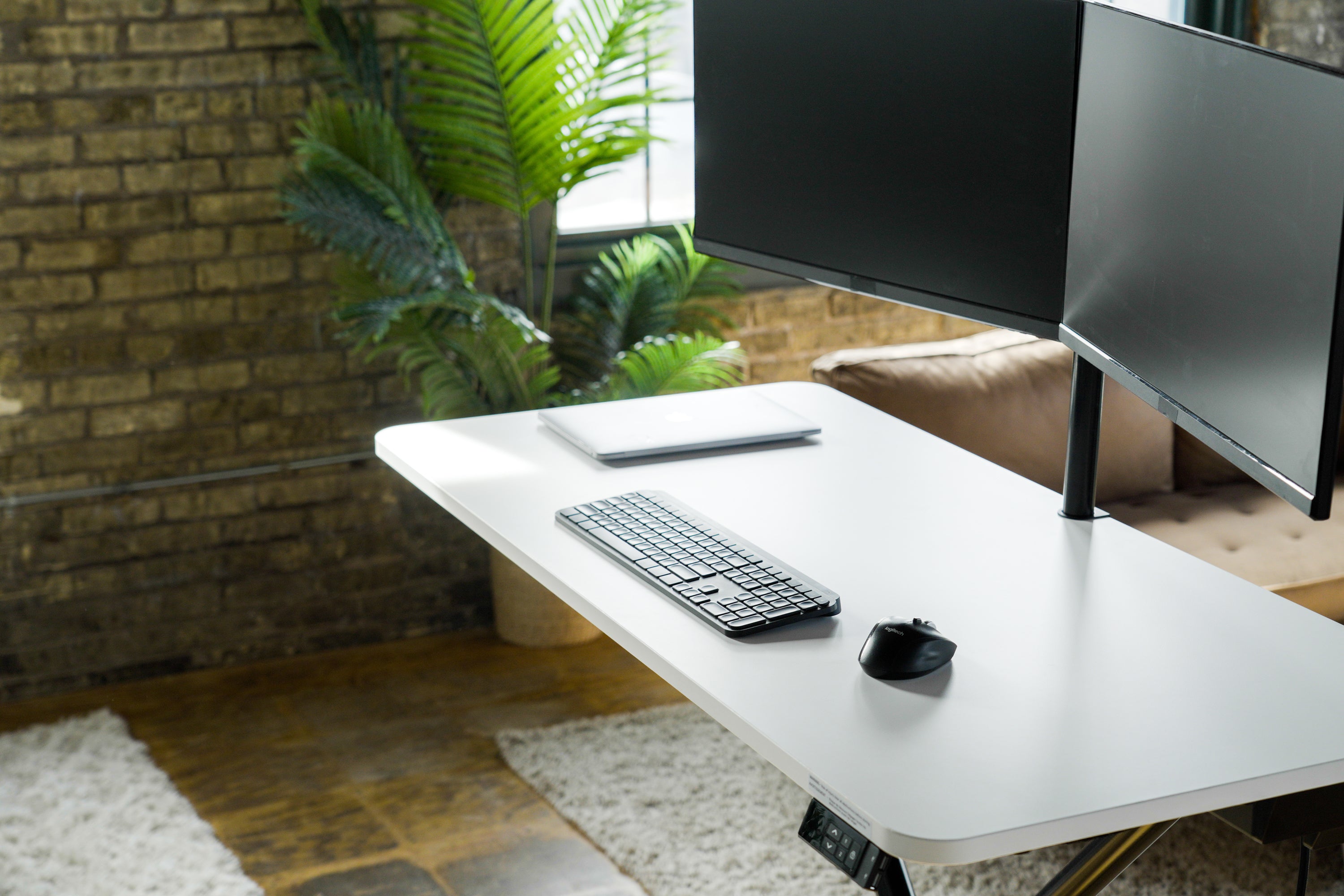
Lillipad offers employers a turnkey solution to support their teams while influencing an unwieldy remote work environment.
Our workstation is a full-sized, ergonomic standing desk for remote workers who do not have space for a dedicated home office. Employees can set up and work from any room without the need for a heavy, permanent desk.
Lillipad’s patent-pending technology makes us the only height-adjustable table with the flexibility to work in any home environment. Users can collapse their Lillipad when it's time for life away from work. Lillipad ships fully assembled to your employee’s door, eliminating the hassle with tools, complicated instructions, and time-consuming assembly. Simply take it out of the box, plug it in, press a button and your team will be working almost instantly.
We enable you to activate a hassle-free, cost-efficient remote and hybrid support program at scale. By placing an emphasis on the success and well-being of your employees, Lillipad will increase productivity, lift morale and build culture within your organization, making remote and hybrid work a progressive part of who you are.
Benefits of Investing In Lillipads For Your Remote Teams



Interested in Lillipads for your team?
Lillipad is the world's only solution that enables companies to impliment productive & ergonimic workstations at scale.
The proven increase in user productivity has created an extreme demand for company bulk orders. Complete the form below and our team will contact you ASAP!