
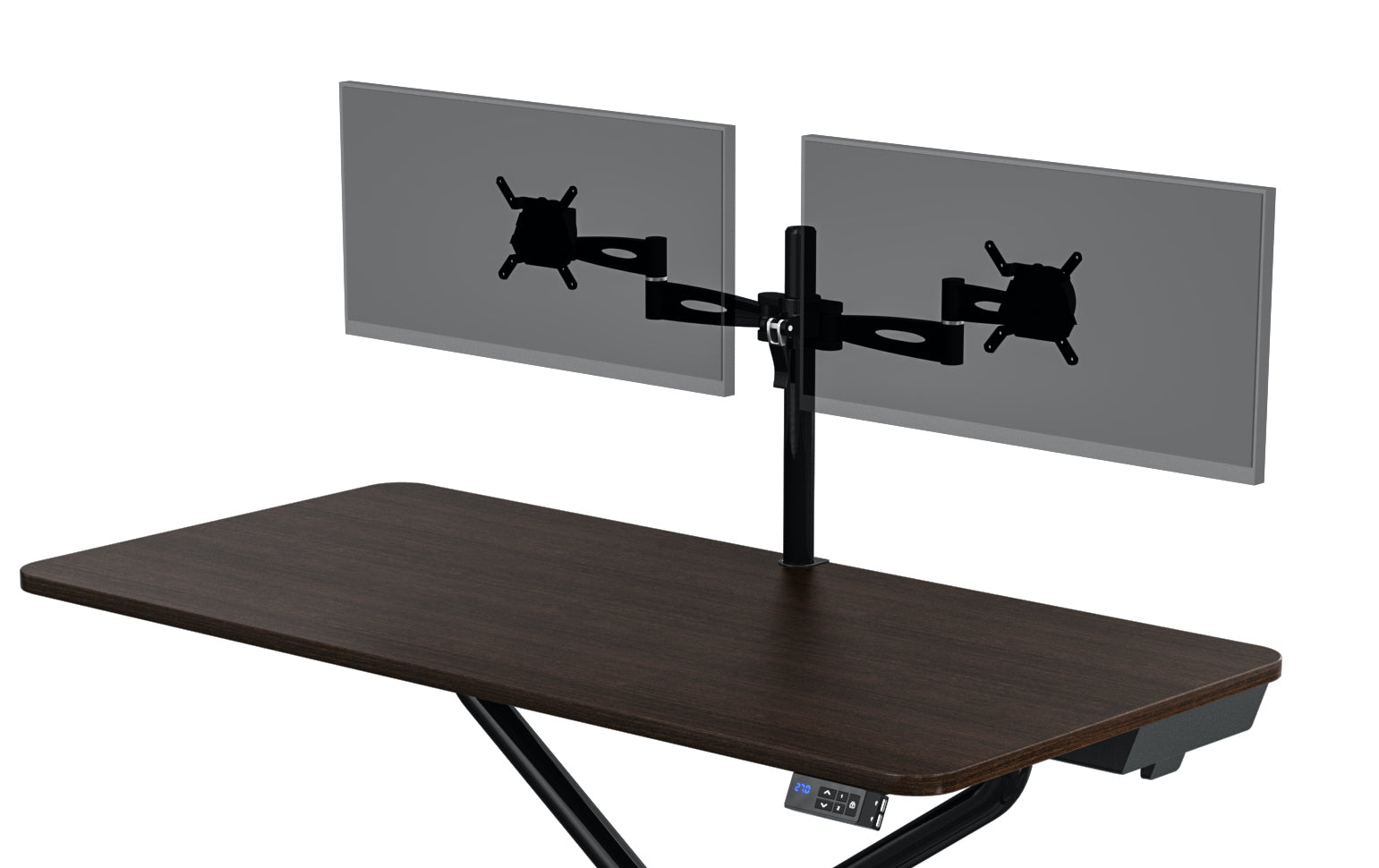


Dual Monitor Arm - quick release & install
Details
Specifications
Shipping
All orders ship within 1-2 business days via UPS Ground from our warehouse in Milwaukee, Wisconsin.
We ship to all destinations in the contiguous United States. Transit times vary by location, but most orders will arrive within 3-6 business days.
Returns
We guarantee that you’ll love the Lillipad.
If you don’t for any reason, you can return it for a refund within 60 days of purchase.
We can offer such a bold guarantee—the longest and most supportive return policy in the industry—because we’re 100% confident in the quality of our desk.
We recognize that the Lillipad is an investment. And we’re certain it will be the best money you’ve ever spent on your home office—or your money back.
What if something breaks later on?
Our 5-year warranty covers the critical components on your Lillipad, including the motor, frame, electronics, sheet metal, and wheels. If a part breaks or stops working within that time frame, we’ll take care of it.
We’re fully committed to giving you an incredible experience with our desk. No matter what, we’ll be here to help if anything goes wrong.
All orders ship within 1-2 business days via UPS Ground from our warehouse in Milwaukee, Wisconsin.
We ship to all destinations in the contiguous United States. Transit times vary by location, but most orders will arrive within 3-6 business days.
We guarantee that you’ll love the Lillipad.
If you don’t for any reason, you can return it for a refund within 60 days of purchase.
We can offer such a bold guarantee—the longest and most supportive return policy in the industry—because we’re 100% confident in the quality of our desk.
We recognize that the Lillipad is an investment. And we’re certain it will be the best money you’ve ever spent on your home office—or your money back.
What if something breaks later on?
Our 5-year warranty covers the critical components on your Lillipad, including the motor, frame, electronics, sheet metal, and wheels. If a part breaks or stops working within that time frame, we’ll take care of it.
We’re fully committed to giving you an incredible experience with our desk. No matter what, we’ll be here to help if anything goes wrong.


Watch the video
FAQ
How stable & sturdy is the Lillipad?
You'll be pleasantly surprised and impressed. Lillipad's operational load rating is 75 lbs because it is a portable desk, but it's built tougher than most permanent desks. Our desks are Intertek certified and conform to UL962 Standard for small office & home office furnishings, and certified to CSA STD C22.2#68.
Check out some certification performance metrics:
- Cycle Test: 3,000+ consecutive cycles @ 75 lb load
- Static load tested to hold 350 lbs
- Passed all stability, durability, and tip tests for certification
Whether on carpet or hard surfaces, our customers continue to be awed by our quality and stability.
Check out our reviews page to see what customers think about our sturdiness.
Can the wheels roll on carpet?
You bet! All 4 wheels enable for effortless transportation on any floor surface, even the thickest of carpets. It’s super easy to roll like a hand-truck or push like a shopping cart.
How long does assembly take?
Zero minutes. Lillipad ships in one box fully assembled. No tools are needed. It takes seconds to set up your Lillipad!
Do the wheels lock?
Each desk comes with a wheel stop that keeps it in-place and stationary when desired. The wheel stop is removable and is very effective when installed.
Is this height adjustment manual or electric?
All of our desks are powered by electric motors allowing you to effortlessly adjust to any height at the push of a button.
How long does shipping take?
All orders ship within 1-2 business days via UPS Ground from our warehouse in Milwaukee, Wisconsin.
We ship to all destinations in the contiguous United States. Transit times vary by location, but most orders will arrive within 3-6 business days.
What is your return policy?
We guarantee that you’ll love the Lillipad.
If you don’t for any reason, you can return it for a refund within 60 days of purchase.
We can offer such a bold guarantee—the longest and most supportive return policy in the industry—because we’re 100% confident in the quality of our desk.
We recognize that the Lillipad is an investment. And we’re certain it will be the best money you’ve ever spent on your home office—or your money back.
What if something breaks later on?
Our 5-year warranty covers the critical components on your Lillipad, including the motor, frame, electronics, sheet metal, and wheels. If a part breaks or stops working within that time frame, we’ll take care of it.
We’re fully committed to giving you an incredible experience with our desk. No matter what, we’ll be here to help if anything goes wrong.
Reviews
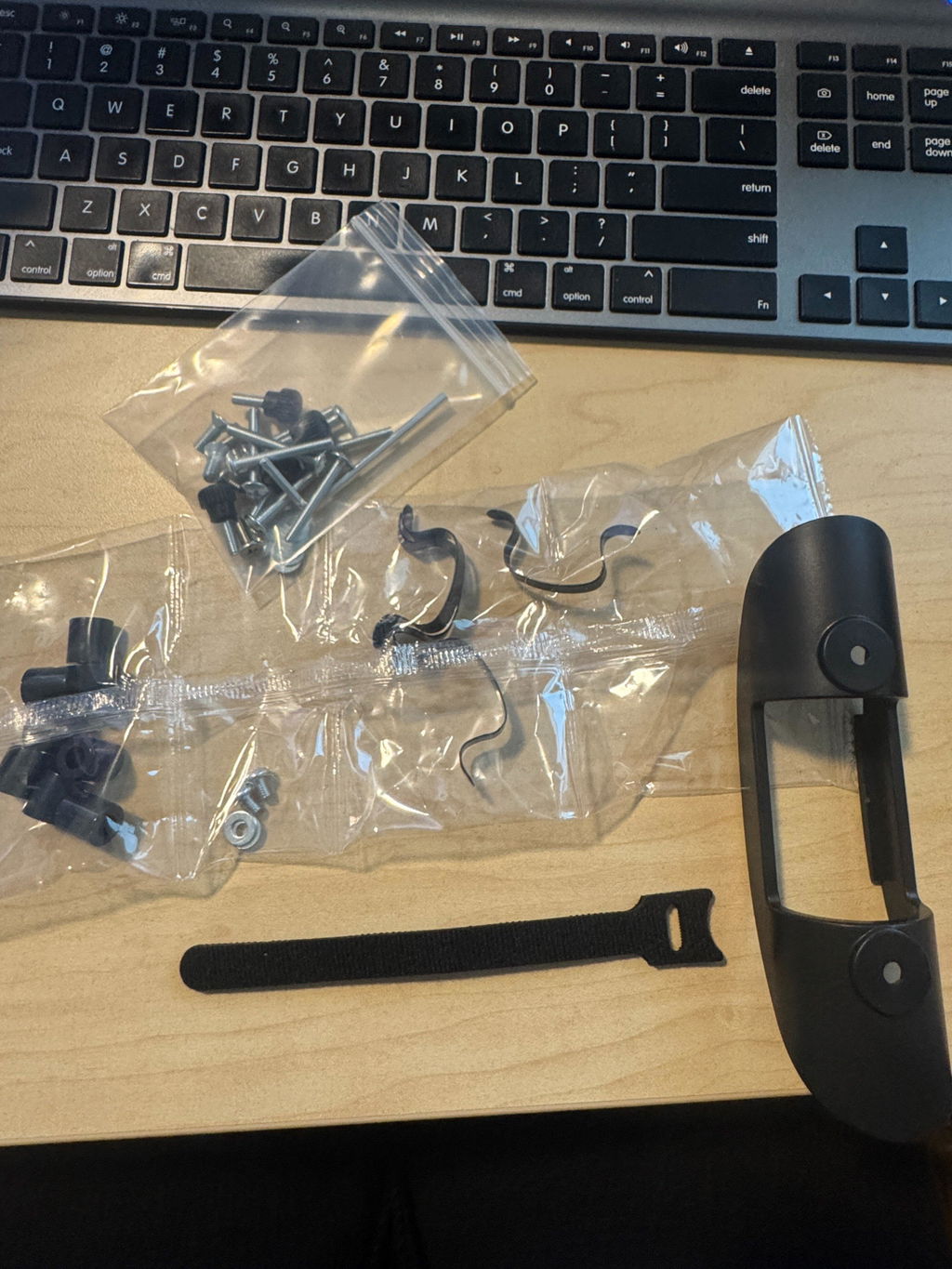
No instructions were included. I think I installed everything correctly, but there are sooo many extra screws and pieces that I'm not sure if I was supposed to use. I'm lowkey worried the monitor is going to fall.
There's no way to tighten the neck of the monitor, and the part he mentions tightening on the back in the video doesn't seem to exist on mine. I tried twisting one of the screws, and it came out completely. I screwed it back in, but I still have no idea how sturdy this thing actually is.
Instructions would be really helpful, along with a video explaining what all the additional pieces are for and whether they need to be installed.
I'm very grateful the desk itself came assembled because it took me three months to finally put this together, and I'm still not confident I did it correctly.
Also, my unit was assembled incorrectly before it even got to me. The lever works backward, so pushing it up tightens it instead of loosening it. I'm hoping that doesn't cause any issues down the line either.
Hi Jazelle,
First off, we're very sorry the instruction manual wasn't included with your monitor arm! That's extremely uncommon, as all components, hardware, and instructions are packaged as kits before leaving our facility. SO sorry about that!
Based on your description, it sounds like the monitor arm may actually be installed upside down, which would explain some of the issues you're experiencing. An easy mistake to make, especially without the instructions!
Here's a link to our digital instruction manual: www.lillipad.com/pages/lillipad-manuals
We also include additional hardware to accommodate different monitor configurations, so having leftover screws and components is completely normal. Your additional concerns should be quickly answered in the the manual.
Please don't hesitate to reach out! Our team is always available at team@lillipad.com, through our website's live chat, or via text message. We also offer phone and FaceTime support and would be happy to walk you through the installation personally to ensure everything is properly secured.
We appreciate your feedback and want to make sure you're 100% confident in your setup. We're here for you!
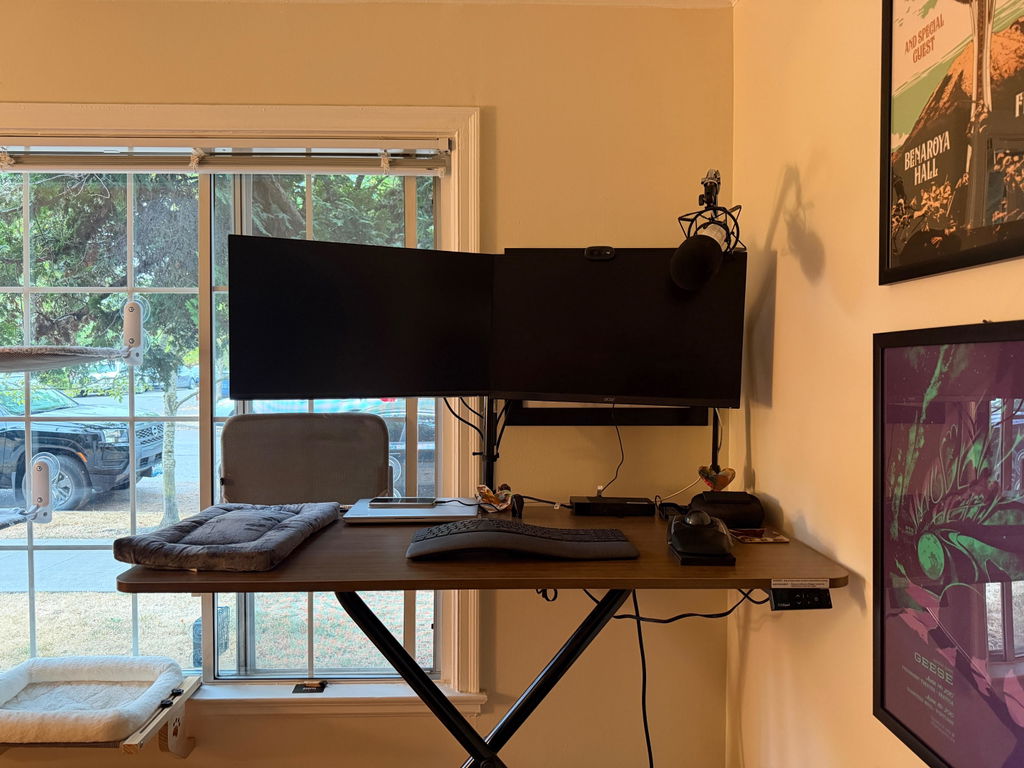
I made sure to purchase the dual monitor arm for full ergonomic control. With my last floor sitting desk, having both of my monitors on their stands, on my desk, took up too much space. I could never get my elbows to 90 degrees while also having my eyes be at the half way point for the monitors. There was also no room for a cat. xD Set up was really easy but make sure you gently loosen the joints to freely move the monitors into the correct position. Since it’s one pole and the dual arm is one piece attached to it, there isn’t any flexibility to adjust the height of each monitor separately.
It’s easy to adjust the height, though you have to make you way around the back of the desk to do that, which for me, involves needing to pick up my desk to angle it away from the wall so I can get to it. My body is not proportional. I’m only 5’7” but my legs are as long as my 6’ tall ex-girlfriend‘s legs and my torso is as long as a 5’ woman. I need to adjust the monitor height when I go from standing to sitting, so that’s a bit of a pain. It’s my first monitor arm set up I’ve had so I wasn’t sure what to look for and I’ll probably start shopping around for a system that allows height adjustment from the front of the desk. That said, if you have a proportional body and ergonomics are important to you, it could definitely work, and well. If you don’t care about ergonomics, it’s great regardless of body proportion! 😁
I love the fact I could purchase the accessories which would fit the desk without having to buy and hope they would work! Easy to use and set-up!
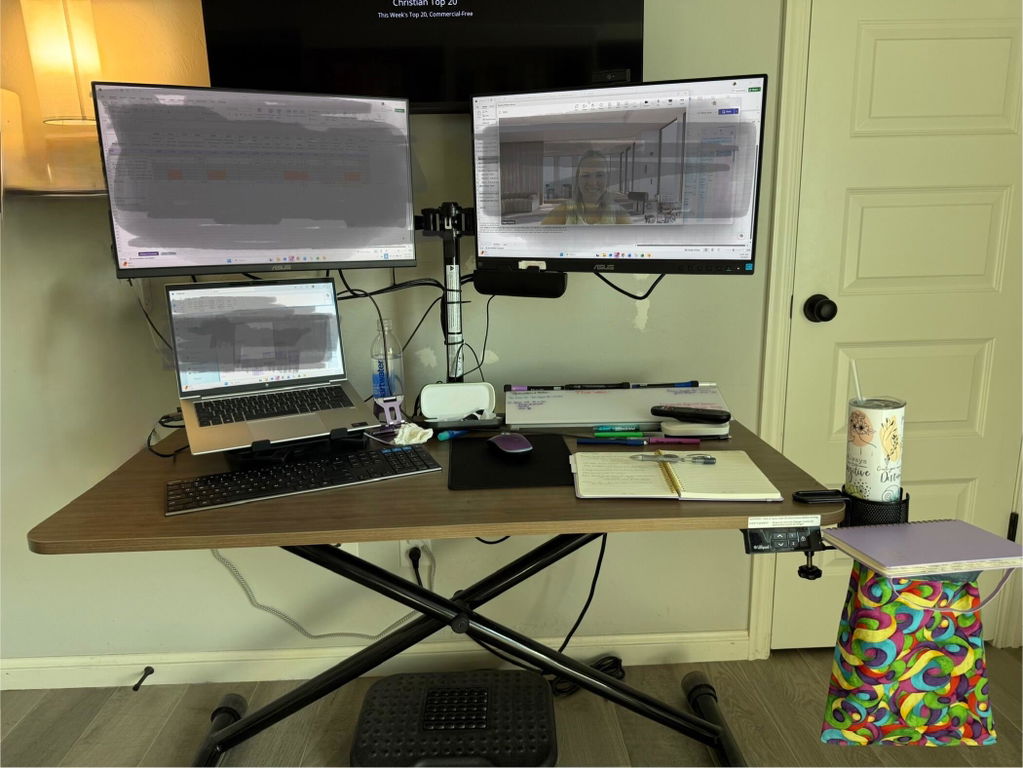
Super easy to install the dual monitor arm. I appreciate how much you can adjust the height and position of both sides. It looks so sleek! So glad I impulsively added it to cart when I ordered the sitting desk :)
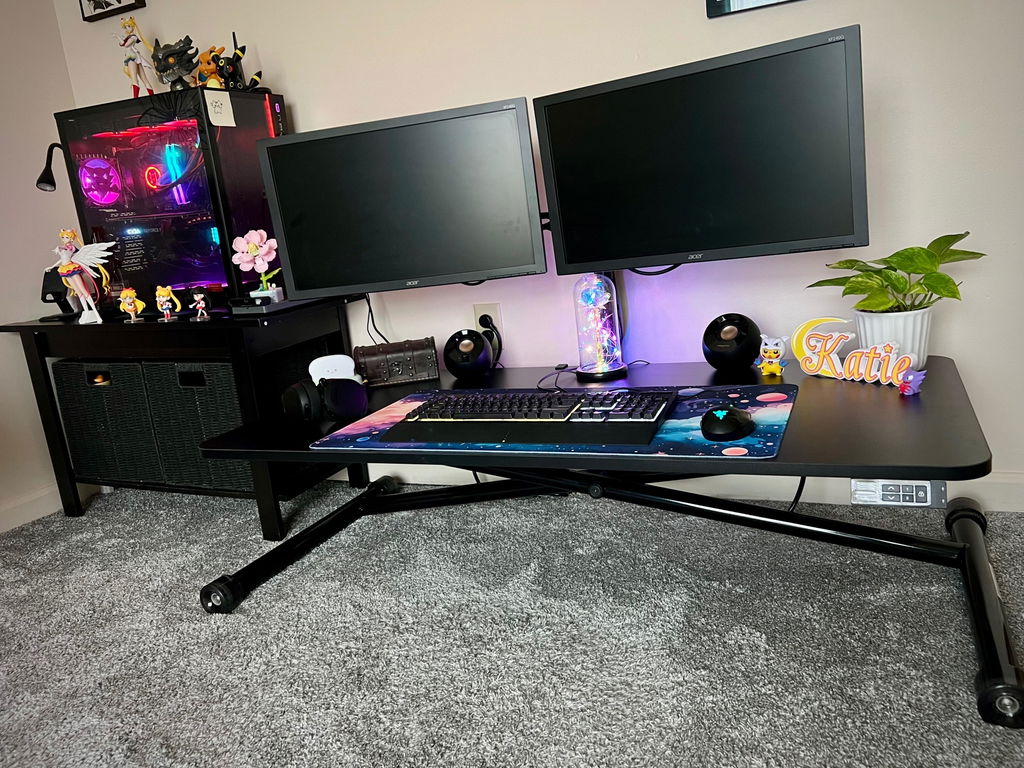
I have bought two Lillipads for small spaces but the truth is the large desk is for a large space. I’m so happy. The arms that “come with it” as a simple accessory are great. I could not be happier with by Lillipads…..
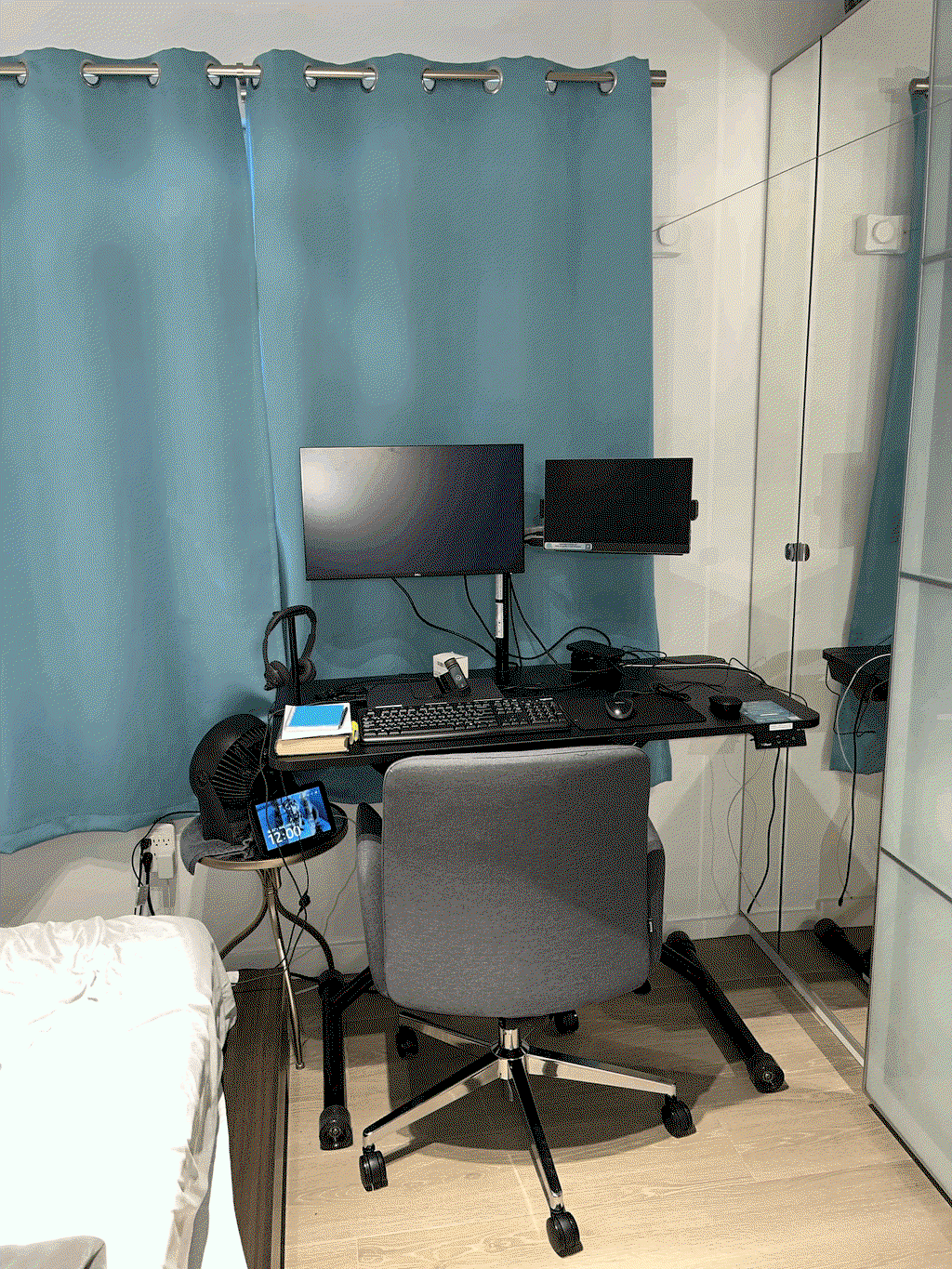
Scott, thanks for being such a loyal customer of ours!! We truly appreciate your support. Sweet setup!! We love the uniqueness of the different displays. Very cool! Let us know if you ever need anything
Good qualitty, same as desk.
What an exceptional value, easy right out of the box, took me 5 minutes to set up the monitors and well worth the price. Now I hope the Storage Backpack is back in stock soon so I can order it.
the box did not have an instruction manual. I don't know what the extra screws are for. However, it was easy to install and is holding up well.
I’m really impressed with how easy it is to break down my two monitors on my lillipad. I like being able to adjust for landscape or portrait without any issues. Glad I splurged for the pro desk!
The monitor arm works great and I'm glad I got it. The only thing I wish is that the first section hinged so that I could move the monitors "back" a bit
Shipped completely assembled. Only thing I had to do was assemble the dual monitor system which was easy. Looks great, easy to operate, has built in USB charger, and built in power strip. Only one power cord to the wall. The desk looks so good, we are leaving it up rather than storing away. High Quality
As an addition to the Lillipad Pro, the Dual Monitor Arm was extremely easy to install and setup. It easily holds up the screens and is height adjustable in tandem with the desk. The display/power cords are easy enough to curate out of the way. Does exactly what it intends to do and looks attractive as well.
Before installing though, make sure that the monitor you're looking to mount has the VESA screw pattern on the back. We were initially going to mount some old HP screens, but they're old enough that they didn't have the screws holes / mount plates. So while that has nothing to do with this monitor arm, it's an important consideration to make sure whatever monitor you're wanting to install is compatible with the mount.
Easy to install
I’ve had this desk for about a month. It has exceeded my expectations! The set-up is very easy - takes about 5-10 minutes to set-up. The working space is very ample. I have the 2 monitor set-up. It’s easy to break down at the end of the day and fits perfect under my bed. My next buy will be the monitor storage bag which seems to be a hit since it’s currently sold out. Great product. Definitely recommend.
Well designed and easy to setup monitor arms. I really like how it comes with a clip for the pole to hide it under the desk.
I like the simplicity of this dual-monitor stand. The personalization on the height, position and angle is very variable and fits all ofmy prefered settings both on sitting and standing desk set up. You literally only see a slim pole which can handle two x 12lbs monitor (up to 27inches each monitor), you can tuck the cords away and conceal with the included cord clips and straps. Highly recommended.
Had 27 inch screens, could not support the weight
Hi Nick - Super easy fix!! Each monitor arm includes an Allen wrench used to adjust the tension at the ball joint based on your monitor weight. Once dialed in correctly, the arm can certainly support 27' screens with no problem. We’ve also sent you an email with quick instructions and our direct contact info so we can help get everything working exactly as it should. We're here for you!
I have received and reviewed the Dual Monitor Arm. I find that it can save space on the desktop and appears sturdy and well built. I have been unable to use it, though, because it requires that you have monitors that have screw holes in the back of them. My work monitors do not have these holes so I am forced to use separate monitor stands. I am retaining the Dual Monitor Arm for potential future use as it is a nice add-on to have for the excellent desk. You may not want to purchase the Dual Monitor Arm, though, if you have monitors with no screw holes. I give it 4 stars for this reason. They could have made these with an alternate clamp instead of just the screw option.
Sturdy and great
I ordered the dual arm and it has been very easy to use. Feels sturdy and it adapted to my current screens.
The standing mat is a great addition to my desk and relieves my lower back pressure
It holds my monitor
accessories were so easy to install, great desk and set
The dual monitor arms were easy to install and set up. I have two 27” monitors and they look great with the arms on the desk. Increased my productivity since I can have multiple things up at same time.
Works very well. Stable, easy to install. I'm only using one arm but wanted the flexibility to add a second arm down the road so purchased the dual. The extra arm folds up nicely behind the single monitor I attached.
Was super intuitive to setup and install the monitor arm. Storage for bar under the table is nifty. Definitely recommend this setup. Only suggestion for improvement is to have a hand turnable adjustment for the friction lock, instead of using a tool.